Choosing the best free video translator in 2026 is not just a hunt for a zero-dollar tool. It is a test of what “free” actually includes. Can the service translate a full clip, or only a short sample? Does it preserve the speaker’s tone? Are captions editable before export? Small details matter: a name rendered incorrectly, a subtitle flashing too quickly, or a voice-over that sounds oddly flat can change how a video feels.
Speech-translation researcher Dr. Alex Waibel’s work points to a useful principle: translation should help people communicate across language barriers, not merely replace words. That is a paraphrase of his research focus, not a verbatim quotation. It offers a practical lens for comparing free video translator tools. A strong option should handle speech, timing, and meaning together, while making its limits clear. Nearly right is still sometimes wrong.
This guide compares the features that viewers and creators can check for themselves: supported languages, subtitle accuracy, voice options, export limits, and privacy information. It also considers whether a tool works smoothly on a real clip, rather than only in a polished demo. No free service is perfect. Some impose length limits; others make edits cumbersome. The best choice depends on your footage, audience, and tolerance for cleanup. Expect trade-offs. Check the result before sharing.
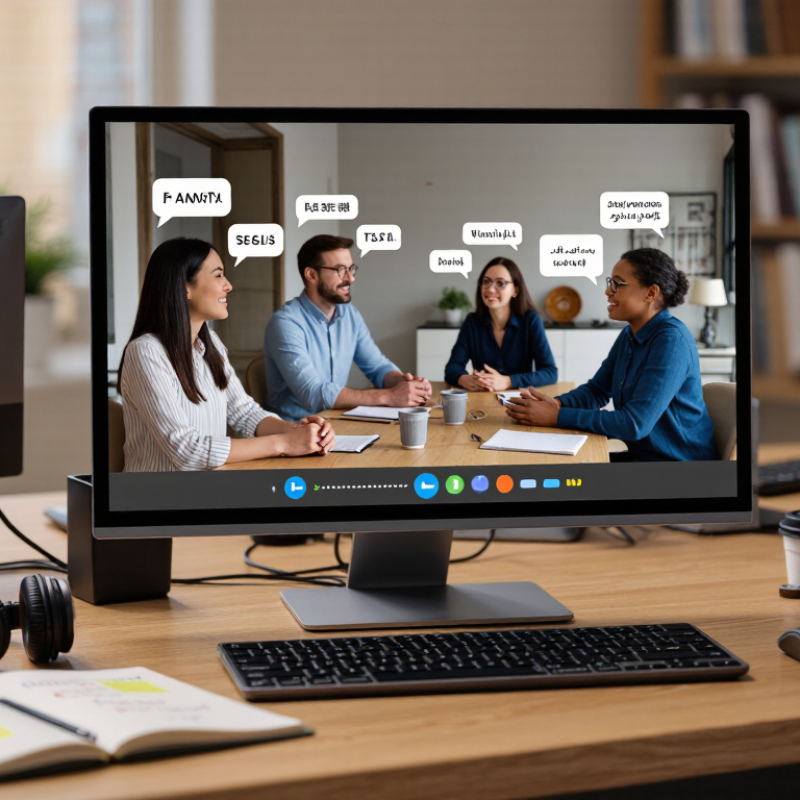
A free video translator turns spoken dialogue into text, translates that text, and places the result on screen as subtitles. Many tools rely on speech recognition, so clear audio matters as much as the selected language. A running tap, music, or overlapping voices can cause missing words. Small details matter.
Most editors let you review the translation, adjust subtitle timing, and split long lines before exporting. Some also provide transcripts or generated voice tracks, but free access may limit video length, export quality, or processing minutes. Check proper names, measurements, and jokes carefully; automated translations can miss context even when the grammar looks right. A speaker’s dry humor may become oddly formal.
For a practical check, play the finished video on a phone and read each subtitle at normal speed. If a line disappears before you can finish it, shorten the wording or extend its timing. Generated voiceovers may save recording time, but they can flatten emotion or mispronounce unfamiliar terms. Even after careful edits, a phrase may still sound stiff. That limitation deserves an honest review before sharing the video.

A free video translator usually begins with automatic speech recognition. It turns spoken audio into text, while detecting pauses, speakers, and time codes. The system then translates each segment and fits the result into subtitle lines. This step is harder than it appears. A sentence may be split across two shots, forcing the translator to balance meaning, reading speed, and screen space.
Subtitle engines often use punctuation, speaker separation, and timing models. Some also create translated voice tracks through text-to-speech systems.
UNESCO’s 2023 Global Education Monitoring Report states that 40% of people worldwide lack access to education in a language they speak and understand.
Accurate video translation can reduce that barrier, especially when captions preserve local expressions instead of replacing them with rigid wording.
Audience expectations are also clear. CSA Research reported that 65% of consumers prefer information in their own language, while 40% will not buy when content is unavailable in that language.
Free tools can handle clean audio well. They struggle with overlapping voices, accents, jokes, and background noise.
I still review every subtitle manually. One awkward phrase can change a speaker’s intention. Machine output saves time, but it does not understand every silence, hesitation, or cultural reference.
When comparing free video translators in 2026, accuracy should lead the checklist. Wyzowl’s 2025 Video Marketing Statistics reports that 89% of businesses use video marketing. That demand makes reliable translation more important than flashy interfaces. Test speech recognition with accents, background noise, and overlapping voices. A strong tool should preserve speaker changes and timing. It should also support common subtitle formats, accurate punctuation, and adjustable reading speed.
Language coverage matters, but language quality matters more. Some free services list many languages yet produce uneven results. Compare literal translation, cultural phrasing, and names of people or places. The 2023 UNESCO Global Education Monitoring Report highlights language barriers as a continuing challenge for inclusive learning. This supports checking accessibility features, including captions, font controls, and clear contrast. Privacy also deserves attention. Review retention policies before uploading interviews, lessons, or client footage. Free does not always mean risk-free.
Tips: Test a two-minute clip before processing a full video. Include one speaker, two speakers, and a noisy scene. Check the transcript manually. Small errors can change meaning. Free plans may limit duration, exports, or dubbing quality. I would not trust automatic voiceovers without human review. Even careful testing can miss regional expressions. That is an uncomfortable weakness, but it should shape the final choice.
Feature comparison priorities for evaluating free video translators
These percentages are an editorial comparison rubric, not measured scores for specific tools. Prioritize subtitle translation quality and language coverage, then check export options, free-tier limits, and privacy terms.
A free video translator can be useful, but accuracy varies with audio quality, speaking speed, and background noise. A quiet interview with one speaker is usually easier to process than a street scene with overlapping voices. Check the transcript against the audio before trusting the translated subtitles. Small errors can change a date, name, or instruction.
Language coverage also needs a closer look. A tool may support a language for text but not for speech recognition or subtitle export. Test a short clip with regional accents, borrowed words, or informal phrasing. Does the meaning survive, or does a natural expression become strangely literal? That distinction matters. A fluent-looking translation can still be wrong.
Free plans often limit video length, processing time, exports, or monthly minutes. Check these limits before uploading a long recording; a five-minute test can reveal more than a feature list. Also inspect subtitle timing: words should appear with the speaker, not several seconds later. I would not treat one successful clip as proof. Results can be uneven, and reviewing every line takes time. A simple spreadsheet of errors may help compare tools, though keeping one feels tedious.
There is no single best free option for every video. The right choice depends on whether you need translated subtitles or dubbed audio, how much editing you can do, and what limits apply to your workflow.
| Free workflow | What it does | Accuracy factors | Language coverage | Typical free-use constraints | Best suited to |
|---|---|---|---|---|---|
| Video-platform captions and translation | Generates captions and may offer translated subtitles for videos hosted on the platform. | Results depend on audio clarity, speaker accents, background noise, and the quality of the original captions. Proper names and specialist terms may need correction. | Available languages vary by platform, video, and feature. Automatic captions may be available for more languages than translated subtitles. | Usually tied to supported videos and platform features. It commonly provides subtitles rather than translated voice dubbing. | Watching or sharing hosted videos when subtitles are enough. |
| Browser-based AI video translator | Uploads a video and may produce translated subtitles, a transcript, or dubbed audio in one workflow. | Speech recognition, translation quality, speaker separation, and voice generation all affect the final result. Reviewing names, timing, and meaning improves reliability. | Language pairs and features differ by service; support for a language does not guarantee equally strong results in both translation directions. | Free access may be limited by video duration, processing credits, file size, export options, or watermarks. Terms vary and can change. | Short clips when speed and an integrated workflow matter. |
| Open-source local workflow | Uses locally run speech-recognition, translation, and subtitle tools; dubbing can be added with separate audio tools. | Accuracy depends on the chosen models, hardware, audio quality, and manual editing. Separate tools may require subtitle timing and formatting adjustments. | Model language coverage varies. Some languages have stronger speech-recognition or translation support than others. | Software may be free to use, but setup time, computing power, storage, and technical maintenance are practical costs. There may be no built-in service quota. | Users who want more control and can manage a multi-step setup. |
| Transcription, machine translation, and subtitle editing | Creates a transcript, translates the text separately, then edits and syncs subtitles in a subtitle editor. | Human review can catch mistranslations and improve readability. Subtitle timing, line length, context, and terminology still need attention. | Coverage depends on the transcription and translation tools selected; each step may support a different set of languages. | Free tools may impose usage caps, require manual file handling, or limit particular features. Editing time increases with video length. | Videos where subtitle quality matters more than a one-click process. |
| Manual translation with self-created subtitles | A person translates the spoken content and writes or edits subtitle files without relying entirely on automatic translation. | Can provide strong context-sensitive wording when the translator understands the subject and target language. Accuracy depends on the translator and review process. | Not limited by software language menus, but depends on the translator’s language skills. | No automated processing quota, but the work is time-intensive. Subtitle timing and formatting must still be handled. | Short, important, or specialized videos where careful wording is the priority. |
How to choose: For quick subtitles, start with automatic captions or a browser-based workflow. For greater control, use a local or transcript-and-edit workflow. For high-stakes content, have a fluent speaker review the translation before publishing. Free allowances, supported languages, and export rules vary by provider and may change.
Choosing a free video translator starts with the job, not the feature list. Do you need translated subtitles, a dubbed voice track, or both? For a five-minute tutorial, accurate captions and editable timing may matter more than synthetic speech. Check language coverage, export formats, watermark limits, and whether free access expires. Test the basics.
Data can guide the choice. CSA Research’s 2020 report, Can’t Read, Won’t Buy, surveyed 8,709 consumers across 29 countries: 76% preferred product information in their own language. A 2019 digital-video study reported that 80% of viewers were more likely to finish videos with captions. These findings support checking both translation quality and subtitle readability, though they do not guarantee that any tool will improve every viewer’s experience.
Try a short, speech-heavy clip before translating a full library. Include a speaker’s name, a number, and a fast exchange; these expose errors quickly. Compare the output with the original audio, then check line breaks on a phone screen. Also review how uploaded footage and transcripts are stored. Free tools can impose limits or change terms, so read the current settings. One awkward subtitle can undermine an otherwise clear lesson. Human review takes time, but skipping it can cost more.

.avif)