What Is the Best Mini PC Under $500 from China?
Choosing the best Mini PC under $500 from China is not just a processor comparison. A compact metal box may sit quietly beside a monitor, yet its cooling, memory, storage, and warranty shape daily use. Some models look powerful on a product page. Real performance can differ under sustained workloads.
The wider PC market offers useful context, though it does not prove that every mini PC is a good buy. IDC reported that worldwide PC shipments reached 67.1 million in the fourth quarter of 2023, up 2.7% year over year. This ended seven consecutive quarters of decline, according to IDC’s Worldwide Quarterly Personal Computing Device Tracker. IDC research manager Jitesh Ubrani called the rebound “a positive sign for the industry.” That observation concerns the broader PC market, not specifically sub-$500 mini PCs. Still, it highlights renewed interest in personal computing hardware.
Price is only one clue. A buyer should also check whether memory is upgradeable, which ports are included, and how clearly the seller explains warranty support. Noise matters, too. A small fan can become noticeable during video calls or sustained work. There is no flawless pick for everyone. Some compromises are easy to miss in a spec sheet.
This guide compares practical options from Chinese brands using published specifications, independent testing where available, and current pricing. It also separates verifiable details from seller claims. The shortlist may not produce one universal winner. It should make the trade-offs easier to see before you buy.
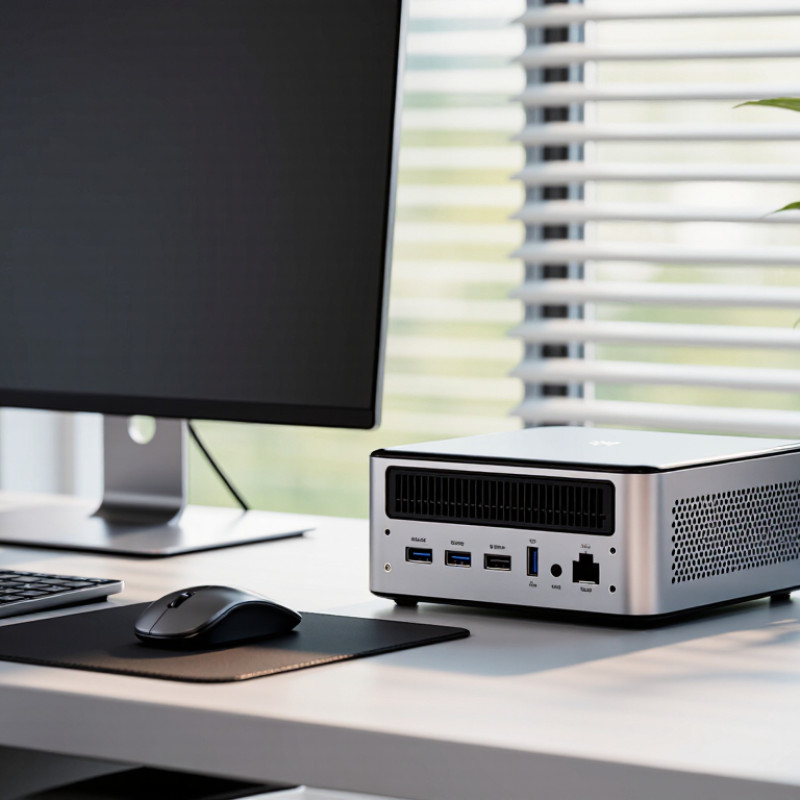
Define the Under-$500 Mini PC Class by Price, Size, and Intended Workload
An under-$500 mini PC is best understood as a compact desktop class, not a guarantee of identical performance. Set the price limit using the complete configuration: processor, memory, storage, power adapter, and shipping. Taxes and exchange rates can shift the final cost, so compare the checkout price rather than a headline figure. Size matters too. Many models fit in one hand or measure roughly four to six inches across, but check the actual dimensions before planning a desk mount or shelf space. Tiny does not always mean quiet.
Intended workload is the more useful dividing line. For web browsing, video calls, and documents, a modern processor with 16 GB of memory should feel responsive in everyday use. Basic photo work or light coding may also be reasonable, depending on the software. For sustained video editing, demanding games, or heavy 3D tasks, cooling and graphics limits can become obvious. Check independent tests, ports, and upgrade options; specifications alone can mislead. A short performance burst is not the same as steady work. The category boundary is a little messy, and even a well-reviewed machine may disappoint if its fan grows loud during a long call.
What Is the Best Mini PC Under $500 from China? — Define the Under-$500 Mini PC Class by Price, Size, and Intended Workload
The under-$500 class generally covers compact computers for everyday desktop work, media playback, and selected light creative tasks. The configurations below are representative price-and-performance tiers, not specific product listings.
| Price Tier (USD) | Typical Size | Typical Processor Class | Common Memory and Storage | Best-Suited Workload | Practical Limits |
| $150–$220 | Approximately 10–13 cm wide; palm-sized chassis | Entry-level low-power processor, often 4 cores | 8–16 GB RAM; 256–512 GB SSD | Web browsing, office documents, video calls, digital signage, and basic 4K media playback | Limited performance for demanding multitasking, modern games, and sustained video editing |
| $220–$320 | Approximately 11–14 cm wide; compact desktop footprint | Mainstream low-power processor, commonly 4–8 cores | 16 GB RAM; 512 GB SSD | General home or office use, multiple browser tabs, streaming, and light photo editing | Integrated graphics are suitable for everyday display tasks, not demanding 3D workloads |
| $320–$420 | Approximately 12–15 cm wide; often around 4–6 cm tall | Higher-performance mobile processor, commonly 6–8 cores | 16–32 GB RAM; 512 GB–1 TB SSD | Heavier multitasking, software development, light content creation, and small home-server tasks | Cooling and sustained performance vary by chassis; check memory upgrade options and ventilation |
| $420–$500 | Approximately 12–17 cm wide; larger compact chassis may allow better cooling | Upper-tier mobile processor; some configurations include stronger integrated graphics | 16–32 GB RAM; 512 GB–1 TB SSD | Responsive productivity, coding, moderate photo work, and selected light gaming at reduced settings | Not a substitute for a dedicated graphics card for demanding games, 3D work, or intensive rendering |
| Across the class | Usually designed for a desk, monitor mount, or small media setup | Typically mobile-class processors rather than full-size desktop CPUs | Check whether RAM is replaceable and whether an additional storage slot is available | Choose based on the actual workload, ports, network needs, and upgradeability | Prices and included memory, storage, operating system, and power adapter vary by seller and configuration |
Price bands are approximate and may change with configuration, promotions, import costs, and region. Before buying, verify the exact processor, RAM layout, SSD capacity, display outputs, wireless standards, warranty, and power-supply specifications.
Compare CPU Performance Using Core Counts, TDP, and Standardized Benchmarks
Under $500, compare mini-PC processors by sustained benchmark results, not core count alone. An eight-core chip may look stronger on paper, yet a compact chassis can reduce its speed during long workloads. Check its configured power limit, cooling design, and performance after a repeated 10-minute test. TDP is a useful clue, not a measured wall-power figure.
SPEC CPU 2017’s published results distinguish speed tests from rate tests, which measure single-copy performance and throughput across copies. Its scores are normalized against a reference system, so higher results indicate better performance within the same test. Compare the same benchmark version and workload; a score from one test cannot be fairly ranked against another. For a practical shortlist, pair standardized CPU results with power and noise measurements from independent reviews. Then consider whether the machine can hold its score while exporting a video or compiling code. Small fans can get loud. Core counts still matter, but they are an incomplete proxy; I would treat any ranking without test duration and configuration details cautiously. That caveat is easy to miss.
Assess Memory and Storage: DDR5-5600 RAM and PCIe 4.0 NVMe SSDs
For a mini PC under $500, memory and storage deserve more attention than impressive-looking capacity labels. DDR5-5600 can deliver a theoretical 44.8 GB/s per 64-bit channel, based on the data rate and bus width defined by JEDEC’s DDR5 standard. That helps when opening large projects, switching between many browser tabs, or using integrated graphics that share system memory. Check whether the machine uses one memory module or two. A single module can limit available bandwidth, even when the listed capacity looks generous. Small detail. It matters.
For storage, a PCIe 4.0 x4 connection offers roughly 7.9 GB/s theoretical bandwidth after encoding, according to PCI-SIG’s PCI Express 4.0 specification. Real NVMe SSD performance is lower; controller temperatures, workload, and drive capacity all matter. In practical use, a large game installation or video file transfer may slow after the drive’s fast write cache fills. Ask whether the SSD is replaceable and whether the chassis has room for a second drive. Also check for sustained-load testing, not just a peak speed screenshot. I would not treat “PCIe 4.0” as a guarantee of fast everyday performance; budget systems sometimes pair a capable interface with a modest SSD. That’s worth questioning.
Check Connectivity: USB4 Offers up to 40Gbps; Wi-Fi 6E Adds 6GHz Support
For a mini PC under $500, USB4 can make a compact setup feel less limited. Its maximum data rate is up to 40Gbps, useful for fast external storage or a compatible dock. Real speeds depend on the computer, connected device, and cable. Check the exact port specifications; not every USB-C port supports USB4, video output, or charging. A short cable can help keep a desk tidy. Check the cable.
Wi-Fi 6E adds access to the 6GHz band, but both the mini PC and router must support it. The extra band can reduce congestion in a busy apartment, especially when several devices share the network. However, 6GHz signals may struggle more through walls than lower-frequency Wi-Fi. A router in the next room may work well; one behind thick walls may not. I would not pay extra for Wi-Fi 6E without checking the home router first. It is easy to focus on headline speeds and overlook placement, compatibility, and the small details that shape everyday performance.
Rank Chinese Brands by Upgradeability, Cooling, Warranty, and Total Cost
For a Chinese mini PC under $500, I’d rank sellers by the machine’s serviceability, not its advertised processor speed. Rank 1 goes to models with replaceable memory and storage, standard screws, and a clear warranty contact. Rank 2 covers systems with one upgrade slot but limited access. Rank 3 is sealed or poorly documented designs. IDC estimated 262.7 million traditional PCs shipped worldwide in 2024, but its shipment data does not measure mini-PC repairability or cooling. Treat market size as context, not proof of quality.
Cooling needs hands-on evidence. Look for sustained-load tests showing temperatures and clock speeds after 20 minutes, not just a brief benchmark.
Small fan, big consequences.
A chassis that stays quiet on a desk may still throttle inside a cabinet. For total cost, add the price of compatible memory, storage, shipping, and any return postage; check whether warranty coverage includes international shipping and who pays. A low sticker price can become a poor deal. I would favor documented upgrade access and written warranty terms over a faster chip with unclear support.
One caveat: seller policies can change, so save the listing and warranty page before ordering. Source: IDC, Worldwide Quarterly Personal Computing Device Tracker, January 2025.



.avif)


.png)