A video can sound clear and still be difficult to understand in another language. Fast speech, background music, unfamiliar names, and on-screen text all affect the result. To translate video to english well, treat it as more than a word-for-word conversion. A reliable process usually includes transcription, translation, timing, and a careful review of the finished subtitles or voice-over.
The right method depends on the video and its audience. Subtitles preserve the original speaker’s voice and are often practical for interviews, lessons, and short social clips. Dubbing can feel more natural for some viewers, but it requires attention to pacing, tone, and pronunciation. Small errors matter. A mistranslated measurement or product name can change the meaning of a demonstration. Review the transcript against the audio, check that captions remain on screen long enough to read, and listen again with the translated version in context. No workflow is perfect; humor and cultural references may need adaptation, not literal translation. For sensitive or specialized material, a qualified human reviewer can catch nuances that automated tools miss. The sections ahead compare common translation options and explain how to choose one based on accuracy, budget, turnaround time, and viewing experience.
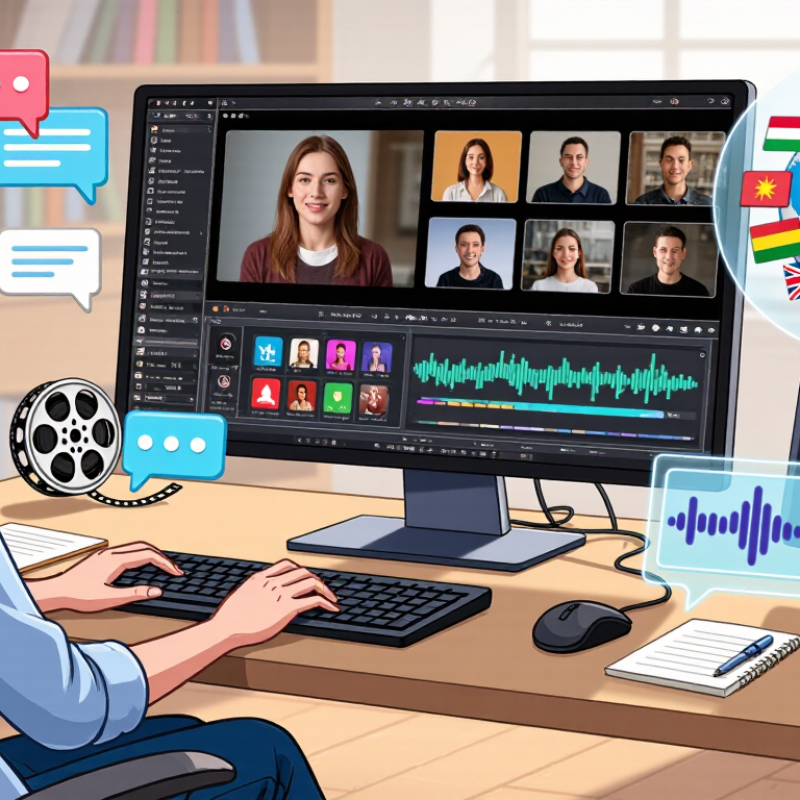
Set English as the target language before translating, and choose the intended variety when it matters. A training video may need clear international English, while a local interview may benefit from familiar regional phrasing. Keep the original audio and captions available for comparison. Small context clues matter.
Identify what is being said, who is speaking, and what appears on screen. A transcript should distinguish speakers consistently, especially when voices overlap or someone speaks off camera. In a kitchen scene, for example, a label on a jar may clarify a muffled ingredient name. Speech recognition can miss that clue. On-screen text needs its own review, since signs, charts, and brief labels may never be spoken aloud. Preserve timestamps so translated captions appear with the correct shot. Check names, numbers, and technical terms against the visuals or source material. These details are easy to overlook.
Listen again.
A fast sentence may be transcribed correctly but translated with the wrong tone. Read captions at normal playback speed and watch for lines that cover faces or disappear too quickly. Automated tools can provide a useful draft, not a guarantee. I would still flag uncertain wording rather than quietly guess; that can feel unfinished, but it is more trustworthy.

For English subtitles, translate the speech transcript, not your guess at what the speakers said. Automatic speech recognition can miss names, accents, and quiet words, so check the transcript before translating. NIST’s speech-recognition evaluation materials use word error rate (WER) to compare recognized words with a human reference. The formula is substitutions, deletions, and insertions divided by the number of reference words. Simple, but useful.
For example, if a 100-word clip contains six substitutions, two deletions, and one extra word, its WER is 9%. That score is not a translation-quality score; it measures transcription errors. A low WER can still hide a crucial mistake, such as changing “fifteen” to “fifty.” Review numbers, names, and negations by replaying the exact moment. I still find overlapping voices easy to mishear, even with a clean transcript.
Tips: Work in short clips, around 10–20 seconds, and keep a reference transcript. Note each error type, then calculate WER across the full clip. If background music masks a word, mark it uncertain rather than silently filling it in. Compare the final English subtitles against both the audio and the source transcript; the transcript may be wrong, too.
Transcribe first, then measure speech-recognition errors with word error rate (WER).
How to read it: WER = (substitutions + deletions + insertions) ÷ words in the reference transcript × 100. In this illustrative 12-word example, one substitution gives 8.3% WER, while three deletions give 25%. These examples explain the calculation; they are not benchmark results.
Translating video into English means carrying the speaker’s intent, not just replacing each word. A literal transcript can sound accurate and still mislead. Watch the scene, note who is speaking, and check what happens before and after each line. A raised eyebrow or a pause may change the meaning.
Idioms need particular care. If someone says “spill the beans,” translating the image literally may confuse viewers; “reveal the secret” is clearer. But smoothing every phrase can erase a speaker’s personality. Keep a vivid expression when its meaning is clear, and use a natural equivalent when it is not. Context matters.
Names deserve the same attention. Confirm their spelling and pronunciation from reliable material, then use one form consistently in subtitles. Cultural references may need a brief, natural explanation, especially when a joke depends on a local custom or historical event. Don’t explain everything. That can crowd the screen. Read the translation aloud against the video, and check subtitle timing. A line that works on paper may feel stiff when spoken. I’d still review difficult jokes with a fluent speaker; even careful translators can miss a local nuance. Sometimes the best wording is not obvious.
Keep subtitles within a 20-character-per-second adult reading-speed limit
A good English subtitle carries meaning without making viewers race. Use 20 characters per second as an upper limit for adult reading speed, not a target for every line. Count letters, spaces, and punctuation when checking each subtitle’s display time. A line with 40 characters should generally remain on screen for at least two seconds. Very short flashes are hard to read, even when the translation is accurate.
Timing also depends on the scene. A quiet shot may give viewers time to read, while a fast exchange or busy image needs simpler wording. Break lines at natural phrase boundaries, and avoid splitting a name or verb from the words that complete it. Read the subtitles aloud while watching the video. If your eyes keep dropping from the action, the text may be too dense. My first timing pass is often too optimistic; a real-time review catches awkward pauses I miss on the screen.
Tips: Check characters per second in subtitle software, then watch the full scene at normal speed. Shorten repeated ideas before shrinking the font. Keep essential meaning, but do not force every spoken word into the subtitle. A brief pause helps. Recheck names, numbers, and on-screen text, since these details can compete for attention.
What Is the Best Way to Translate Video to English?
English captions should preserve meaning, timing, and important sound—not merely replace each spoken word. Under WCAG 2.2 Success Criterion 1.2.2, prerecorded synchronized video needs captions for dialogue and meaningful non-speech audio. A door slam that changes the scene matters. Background music usually needs a cue only when it conveys essential information.
Check the captions while watching the video, not just by reading a transcript. Confirm that each line appears with its speech, stays readable, and identifies speakers when the image is unclear. Translate idioms for meaning, then review names, numbers, and on-screen text separately. A fluent reviewer can catch errors that automated speech tools miss. I still find timing easy to underestimate; even accurate words can feel confusing when they arrive late.
The WebAIM Million 2024 report found detectable WCAG failures on 95.9% of one million home pages, with an average of 56.8 errors per page. That survey did not measure caption quality, but it shows why accessibility checks should be deliberate. Keep a short review log: note missed sounds, timing problems, and edits made. Test the finished video with captions enabled, including on a small screen. A second review may feel fussy. It helps.
| Review dimension | What to do or verify | WCAG 2.2 connection | Pass condition |
|---|---|---|---|
| Confirm the source content | Review the original audio and transcript before translating. Note speech, speaker changes, and meaningful non-speech sounds. | Supports accurate captions under SC 1.2.2. | The source meaning and relevant audio information are understood before translation. |
| Translate meaning, not just words | Translate dialogue into clear, natural English while preserving the speaker’s intended meaning, names, and relevant context. | WCAG requires captions for prerecorded synchronized media with audio; it does not prescribe a translation method or require English specifically. | An English-speaking viewer can follow the dialogue without relying on the audio. |
| Include meaningful sounds | Caption non-speech audio that is needed to understand the content, such as a significant alarm, a knock, or an audible laugh. | SC 1.2.2, Level A: captions include relevant non-speech information. | Important audio information is not conveyed only through sound. |
| Identify speakers when needed | Add speaker labels when viewers cannot tell who is speaking from the video or caption context. | A practical caption-quality check supporting the purpose of SC 1.2.2. | Speaker changes are understandable wherever attribution matters. |
| Synchronize captions | Time each caption to the corresponding speech or sound, then watch the full video with captions enabled to check timing. | Captions must be synchronized with the audio under SC 1.2.2. | Captions appear with the relevant audio and remain available long enough to read. |
| Check audio description needs | Check whether important visual information is missing from the audio. Captions do not replace audio description or a text alternative for visual information. | SC 1.2.3, Level A, addresses audio description or a media alternative; SC 1.2.5, Level AA, requires audio description for prerecorded video. | Applicable visual information is available through the required alternative, in addition to captions. |
| Test the finished video | Review the complete video with captions on. Check translation accuracy, omissions, timing, speaker attribution, and whether captions are obscured by on-screen content. | A practical quality-assurance step for verifying SC 1.2.2. | The captions accurately and clearly convey the relevant audio throughout the prerecorded video. |

.avif)