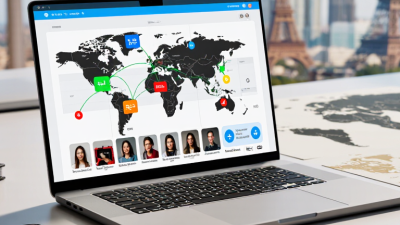
A voice translator app converts spoken words into another language, helping people communicate when they do not share a common one. You might use it to ask for directions, understand a shopkeeper, or follow a short conversation while traveling. The app typically captures speech through a phone’s microphone, then uses speech recognition to turn sound into text. Translation software processes that text and produces an equivalent phrase in the selected language. Many apps can read the result aloud. It is not magic. Accents, background noise, fast speech, and unfamiliar names can all affect accuracy.
Some apps translate after you pause, while others offer near-real-time conversation modes. The exact steps vary, but the basic sequence is similar: listen, recognize, translate, and speak or display the result. A quiet café may give clearer results than a crowded station, where announcements and clattering dishes compete with your voice. That matters. Before relying on an app for an important exchange, check the displayed translation and ask the other person to confirm the meaning. Translation can miss tone or context, even when the words look right. Features also differ: some apps need an internet connection, while others offer limited offline language packs. Review microphone permissions and data settings before use. Knowing how the tool works makes it easier to use thoughtfully—and to notice when a human explanation is still needed.

A voice translator app is a mobile tool that converts spoken words from one language into another. You speak into the phone, and the app presents or plays a translated version. Some apps also show the original words as text, which can help when a name or phrase is hard to hear. In practice, it works like a small interpreter in your pocket. Not magic, though.
People use these apps while traveling, asking for directions, or speaking with someone who does not share their language. A conversation mode may let each person take turns speaking, while a one-way mode translates a single speaker. For example, you might ask where a bus stop is and listen to the translated question aloud. A quiet café is usually easier than a crowded station.
The app’s output depends on the audio and the languages involved. Background music, fast speech, unfamiliar accents, and local expressions can lead to mistakes. Short, clear sentences often help. It is also wise to check the displayed text before relying on an important detail, such as a meeting time. The tool can make conversation easier, but it may miss tone or context. That limitation is easy to forget.

A voice translator app links several technologies in a tight sequence. Automatic speech recognition turns spoken words into text, while noise reduction tries to separate a nearby voice from traffic, fans, or café chatter. Neural machine translation then converts the recognized text into another language. Speech synthesis reads the result aloud. Small delays matter: a pause between listening and speaking can make a simple greeting feel awkward.
Many apps stream audio to remote servers for stronger models, while some process speech on the phone to reduce delay or work offline. The trade-off is real. On-device models may be less accurate with accents or uncommon phrases, and cloud processing depends on a stable connection. The International Telecommunication Union estimated that 5.5 billion people, or 68% of the world’s population, used the internet in 2024; access is widespread, but not universal. Stanford’s 2025 AI Index reported that the cost of querying a GPT-3.5-level model fell more than 280-fold from November 2022 to October 2024. That figure concerns text-model inference, not complete voice translation, but it helps explain why more processing can be affordable. Still, speech is messy. A clipped word can change the meaning, and even a fluent-sounding translation may miss tone or context.
A voice translator app turns spoken words into another language, often playing the result aloud. The process begins when you choose both languages and allow microphone access. Then you speak into the phone. A quiet room helps, but it is not essential.
The app captures your voice and converts the sound into text using speech recognition. It then analyzes the words and translates them, using context where possible. For example, “I’m cold” may mean a person feels chilly, not that an object has a low temperature. That distinction can be missed. Next, text-to-speech software reads the translation aloud. Some apps display the translated text as well, so you can check it before sharing. Depending on the app, processing may happen on the device or through an internet connection.
A practical exchange might look like this: you ask for directions, pause, and let the app finish speaking before the other person replies. Short phrases are usually easier to translate accurately than fast, overlapping conversation. Accents, background noise, and idioms can still cause errors. Listen for odd wording, and rephrase when needed. Not perfect. Avoid entering sensitive details unless you understand how the app handles recordings and transcripts.
A voice translator typically captures speech, converts it to text, translates the text, and then speaks the result. The chart shows the sequence of these steps, not their duration.
A voice translator app listens to spoken words, converts them into text, translates that text, and may read the result aloud. Its modes shape how people take turns and hear each other. In live conversation mode, the app detects pauses and translates short turns, which suits a café order or a quick question at a station. Some apps display both languages on screen, so speakers can check what was heard.
Other modes include push-to-talk, where one person taps a button, speaks, then waits for translation. It can be clearer in a quiet room, but feels slower during a lively exchange. Speaker mode may play translated speech through the phone’s speaker, while headphone or listening modes can translate nearby speech for one listener. Some apps also support offline translation with downloaded language files. Results may be less natural, especially with accents, names, or overlapping voices. That can be frustrating.
Tips: Hold the phone near the speaker, but not directly against their mouth. Use short phrases and leave a pause between turns. Check the translated text before acting on important details, such as a time or address. Background noise can change what the app hears, and a correction may be needed. Keep that possibility in mind.
| Mode | How It Works | What the User Sees or Hears | Typical Use | Common Requirements |
|---|---|---|---|---|
| Two-Way Conversation | The app listens to one speaker, recognizes speech, translates it, and then repeats the process for the other speaker. | Translated speech, on-screen text, or both, usually in alternating turns. | Everyday conversations between people who speak different languages. | Microphone access; speech recognition and translation support for both languages. Turn-taking can improve recognition. |
| One-Way Speech Translation | The app captures speech in one language and translates it into a selected target language. | Translated text and, when supported, spoken audio. | Understanding an announcement, question, or short spoken message. | Microphone access and a supported source and target language. |
| Face-to-Face Mode | The app presents translated text in a layout that can be viewed from opposite sides of a shared device. | Each participant can read the translated conversation from their side of the screen. | In-person conversations across a table or counter. | A device with a screen; voice input is commonly used, though some apps also allow typed input. |
| Speaker or Loudspeaker Mode | The app translates a speaker’s voice and plays the translated result aloud through the device speaker. | Spoken translation, often paired with text on screen. | Sharing a translated question or instruction with someone nearby. | Microphone and speaker access; a quiet environment can help speech recognition. |
| Transcription with Translation | The app converts spoken words into text and translates that text into another language. | A written transcript and its translated version; some apps update text as speech continues. | Following longer explanations, lectures, or conversations when reading is convenient. | Microphone access; performance depends on speech clarity, accents, background noise, and language support. |
| Offline Translation | The app uses language data stored on the device to process supported speech or text without an active internet connection. | Translated text and, depending on the app and downloaded data, spoken output. | Travel or situations with limited or no network access. | Required language data must be downloaded in advance. Offline features and language coverage vary by app. |
| Phrase or Short-Command Translation | The user speaks a brief phrase, which the app recognizes and translates as a short utterance. | A concise translation displayed as text or played aloud. | Common questions, directions, or simple requests. | Microphone access; short, clearly spoken phrases are generally easier to recognize than overlapping speech. |
| Voice translator apps typically combine speech recognition, machine translation, and optional text-to-speech. Available modes, supported languages, and offline capabilities vary by app and device. | ||||
A voice translator works through a chain: it recognizes speech, converts the words into another language, then generates spoken audio. Each step can introduce errors. In a quiet room, a clear sentence such as “Turn left at the next street” is easier to process than speech recorded beside traffic. Background noise can blur consonants, while rapid speech and unfamiliar accents may cause the recognition system to mishear key words. Short phrases help, but they can also remove useful context.
The 2017 Switchboard study on conversational speech recognition reported a 5.1% word error rate for its tested system, compared with 5.9% for human transcribers. That result applies to a specific English telephone-speech benchmark, not every accent, language, or travel setting. Translation quality also varies by language pair and subject. The WMT 2023 machine-translation evaluation used human assessments to distinguish errors in meaning and fluency, a reminder that a smooth-sounding sentence may still change the speaker’s intent. Numbers alone can mislead.
For more dependable results, speak at a steady pace and pause between ideas. Say names, dates, and street numbers clearly; these details are easy to confuse and costly to get wrong. Specialized terms, slang, and cultural references need extra care because a literal translation may sound plausible while meaning something different. I would still verify an important instruction with a written version or a fluent speaker. It is a small inconvenience, but voice tools are not infallible.

.avif)