What Is an Interactive Game Wall and How Does It Work?
An Interactive Game Wall turns a large screen or projected surface into a space for movement and play. Players touch, throw, or step toward on-screen targets, depending on the system. A camera or motion sensor tracks their actions, while software translates those movements into game responses. The result can feel immediate: a ball hits a bright target, a score appears, and the next challenge begins. It looks simple. Behind the display, however, several parts must work together.
Most systems combine a display or projector, tracking hardware, a computer, and game software. The sensor detects movement and estimates where it happened. The software compares that input with the game’s rules, then updates the visuals and sound. Some walls use touch-sensitive panels instead of cameras. The exact setup varies, and lighting, viewing distance, calibration, and room layout can affect performance. A quick test matters.
Interactive Game Wall installations appear in schools, family entertainment venues, museums, and fitness spaces. Their value depends on more than flashy graphics. A well-designed game should respond reliably, suit its audience, and leave enough room for safe movement. Staff may also need clear setup instructions and routine checks. Small delays can interrupt play. That detail is easy to overlook. This guide explains the main components, how input becomes gameplay, and what to consider when choosing or using a system. No wall is perfect; understanding its limits helps set realistic expectations.
What Is an Interactive Game Wall?
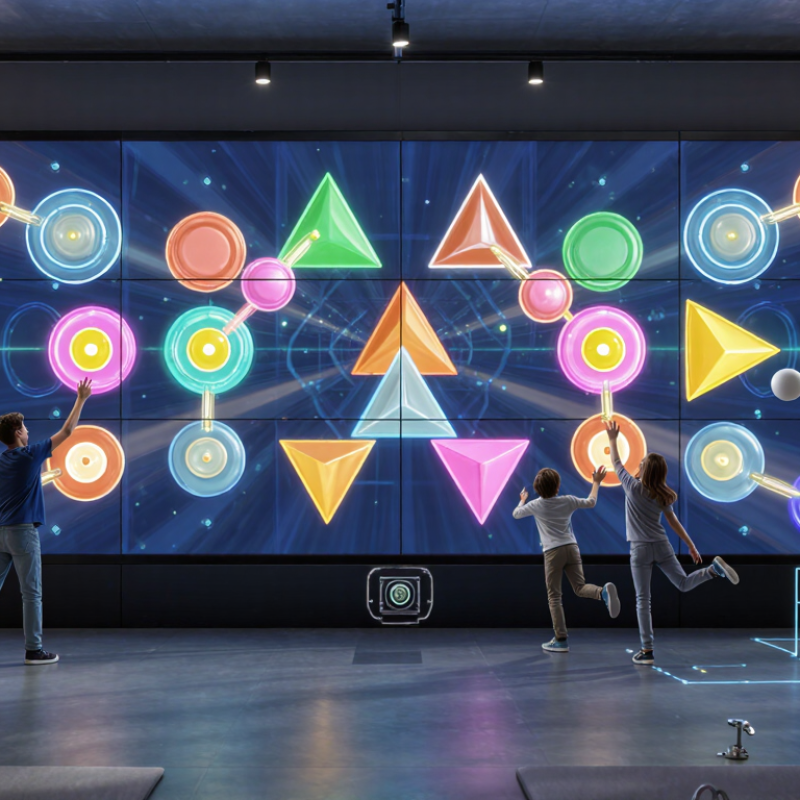
An interactive game wall turns a flat surface into a play area. A projector or large display shows moving targets, paths, or puzzles. A camera or motion sensor tracks gestures, steps, or thrown soft balls. The software responds with sounds, scores, and new challenges. A child might reach toward a glowing circle, then shuffle sideways to catch the next one. That distinction matters. The wall is not just a screen; its main feature is movement-based interaction.
The World Health Organization’s 2020 physical activity guidelines report that 81% of adolescents aged 11–17 were insufficiently active, based on 2016 estimates. This finding signals a wider activity gap, but it does not prove that game walls solve it. Their value depends on session design, space, and supervision. A small room can make jumping awkward. A poorly calibrated sensor may miss shorter players, which is frustrating and easy to overlook. In practice, operators should check floor clearance, test tracking at different heights, and offer activities that invite movement rather than reward speed alone. A few minutes can be engaging. Sustained participation takes thoughtful design.
What Components Make Up an Interactive Game Wall?
An interactive game wall is a large display system that responds to people’s movements or touch. Its visible surface may be a short-throw projection, an LED screen, or a touch-enabled panel. A camera or infrared sensor tracks hands, feet, or body position; a processor turns those signals into on-screen actions. The software supplies the game rules, graphics, scoring, and difficulty settings. Speakers add cues, while network access can support updates or shared scores. Newzoo’s 2024 Global Games Market Report estimated worldwide games revenue at $187.7 billion. That figure describes gaming overall, not game walls, but it shows why responsive software matters.
Calibration makes the parts work together. The installer aligns the sensor’s tracking area with the display, then tests play from several distances and angles. A bright room can wash out projection, and a crowded play zone can confuse tracking. Physical details matter too: floor clearance, rounded edges, cable protection, and a surface that can be cleaned between sessions. Keep controls simple. A brief delay between a jump and its visual response can make play feel frustrating, even when the hardware is functioning. One detail is easy to overlook: accessibility needs vary, so adjustable game speed and seated play options should be tested rather than assumed.
How Does an Interactive Game Wall Detect Player Input?
An interactive game wall turns a large projected surface into a play area. To detect player input, it may use depth cameras, infrared sensors, or touch-sensitive panels. The exact setup depends on the wall’s design. A camera-based system can track a hand, foot, or moving object without requiring physical buttons. Handy, but not perfect.
A sensor captures movement and sends data to the game computer. Software then estimates where the movement happened and matches that location to an action, such as hitting a virtual target. Some systems also measure distance, which helps distinguish a reach from someone simply walking past. The screen responds with animation or sound, often within a fraction of a second. If the room is bright, crowded, or reflective, tracking may become less reliable. Calibration matters; even a small shift can make a target feel oddly hard to hit.
Tips: Stand within the marked play zone and make clear, deliberate movements. Keep bags and loose objects away from the sensor’s view. If input feels delayed, pause and check the floor markers or ask staff to recalibrate the system.
How Does the Wall Turn Player Actions into Gameplay?
An interactive game wall turns movement into input through sensors, software, and a projected display. A depth camera or touch-sensitive surface detects a player’s hand, foot, or body position. The system tracks that position against the wall’s play area, then sends the result to the game engine. A raised hand might move a paddle; a step onto a glowing circle might trigger a sound or score. Small delays matter. The game responds by changing the image, audio, or projected objects the player sees.
The full loop is capture, interpret, respond, and display. Software filters stray movement, checks which player or target is involved, and applies the game’s rules. For example, a ball may appear to bounce only when a player’s shadow crosses its path. Nielsen Norman Group’s usability guidance describes 0.1 seconds as feeling immediate and one second as keeping a user’s flow intact. ITU-T Recommendation G.114 says one-way delays up to 150 milliseconds are acceptable for most interactive voice applications; that is not a game-wall standard, but it illustrates why responsiveness matters. In a real room, lighting, crowded play areas, and calibration can affect tracking. Perfect detection is not guaranteed. A brief pause can still break the illusion.
Where Are Interactive Game Walls Commonly Used?
Interactive game walls are common in museums, science centers, and family attractions, where visitors can touch, move, and compete together. The American Alliance of Museums estimates that U.S. museums receive about 850 million visits annually. That scale makes hands-on displays useful for engaging mixed-age groups, especially near open galleries or waiting areas. In theme parks, interactive walls can fill indoor play zones or add activity between rides. The 2023 Global Experience Index from TEA and AECOM reported 244.6 million visits to the world’s top 25 theme parks. These figures describe venue attendance, not game-wall sales, but they show why attractions value lively shared experiences.
Schools and libraries use game walls for movement breaks, group challenges, and lessons that benefit from visual feedback. A projected target can turn a plain wall into a short activity; students might aim at changing shapes or solve a team puzzle. Retail centers, gyms, and event spaces also use them to give visitors something to do while waiting. Small details matter: clear instructions, a safe play area, and controls that work for different heights. Not every space needs a large installation. Noise, supervision, and maintenance can become real drawbacks, and I have seen designs look exciting but feel confusing when rules are unclear.


.avif)


.png)