Choosing the best localization platform is a business decision, not merely a software comparison. It affects product releases, customer trust, and regional revenue. CSA Research’s “Can’t Read, Won’t Buy” study surveyed 8,709 consumers across 29 countries. It found that 76% preferred product information in their own language, while 40% would not buy from websites using other languages. These findings make localization a measurable customer experience requirement.
A reliable localization platform should support more than translation uploads. It should connect with your CMS, design tools, code repositories, and support systems. Imagine a product team updating a checkout button on Friday afternoon. The platform should identify the changed string, send it through the right review workflow, and return approved translations without breaking the layout. Terminology management, translation memory, automated quality checks, and role-based access also deserve close attention. Slator’s Language Industry Market Reports consistently show the growing importance of language technology and integrated workflows across global businesses.
Still, no platform is perfect. A highly automated system may reduce turnaround time but miss cultural meaning in a legal notice or healthcare instruction. A premium tool may offer excellent controls but exceed a smaller team’s budget. My practical recommendation is to test shortlisted platforms with real content, including screenshots, product strings, customer emails, and regional date formats. Measure error rates, review time, integration stability, security controls, and total ownership costs. The strongest choice is not the platform with the longest feature list. It is the one your teams can operate consistently, audit confidently, and improve over time.
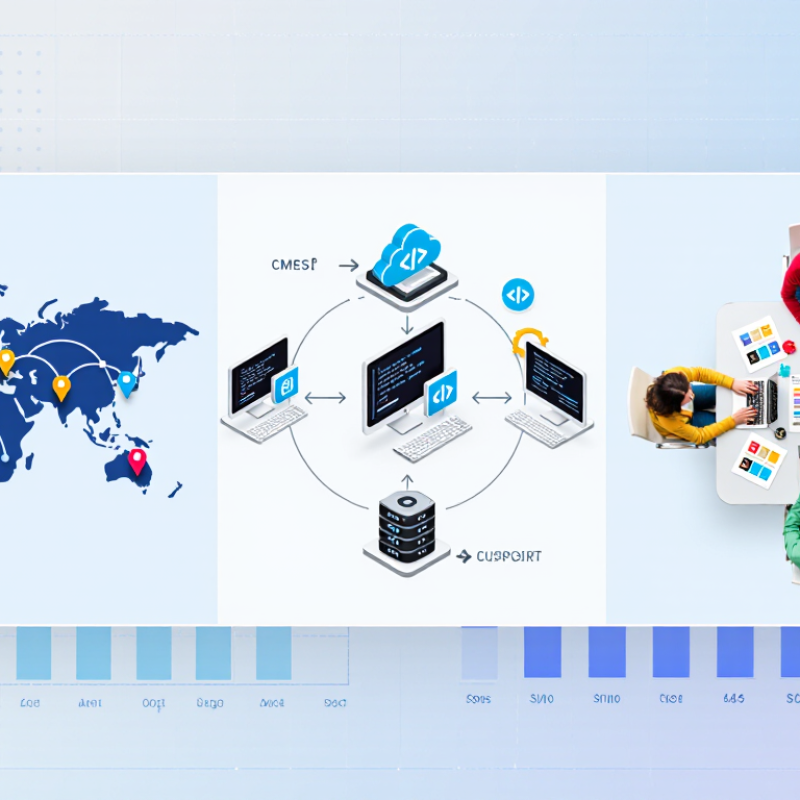
Choosing a localization platform starts before comparing features. Define what success means for your team. Is the goal faster releases, consistent terminology, or stronger regional engagement? Write these goals in measurable terms. For example, reduce review time from five days to two. That target gives evaluations practical direction. Experienced localization teams often learn that vague goals create expensive distractions. “Support global growth” sounds impressive, but it does not guide a purchase.
Map project requirements to daily workflows. List languages, content types, file formats, release frequency, and user roles. A product team shipping weekly needs different controls from a company translating occasional brochures. Check whether translators can access context, screenshots, and approved terminology. Ask how revisions, comments, and quality checks are recorded. These details reveal operational maturity. They also expose hidden manual work. Sometimes, a spreadsheet still fills a gap. That is not failure, but it should be visible.
Set technical and governance requirements before attending platform demonstrations. Confirm integrations, access permissions, audit trails, reporting, and data-handling practices. Define who approves terminology and who owns final linguistic decisions. Include accessibility, regional formatting, and support expectations. Test with a small, realistic sample instead of polished sales material. Measure turnaround, error correction, and handoff effort. Be honest about uncertainty. Your first requirements list may be incomplete. Revisit it after a pilot, because real users often identify friction that planning meetings miss.
Use the following requirements matrix to evaluate localization platforms against measurable project goals, workflow needs, quality expectations, and long-term scalability.
| Evaluation Dimension | Project Requirement | Recommended Target | Priority | Why It Matters |
|---|---|---|---|---|
| Language Coverage | Number of source and target languages required for launch and future expansion. | Define launch languages and a 12–24 month expansion plan. | High | Language support should match the target markets, content types, and required regional variants rather than relying only on the number of listed languages. |
| Content Volume | Estimated words, pages, product records, software strings, or media assets to be localized. | Measure monthly volume and peak campaign volume separately. | High | Accurate volume estimates help determine automation needs, translation capacity, review effort, and expected project cost. |
| Content Types | Web pages, documents, software interfaces, subtitles, product information, support content, and marketing assets. | Confirm native workflows for every priority content type. | High | Different formats require different handling for tags, layouts, variables, screenshots, character limits, and file validation. |
| Integration Capability | Connections with content repositories, design tools, development systems, commerce systems, and project management tools. | Prioritize documented APIs, connectors, webhooks, or secure file exchange. | High | Integration reduces manual copying, lowers the risk of outdated content, and supports repeatable localization workflows. |
| Translation Memory | Reuse of previously approved translations across projects and languages. | Centralized, searchable memories with project- and language-level controls. | High | Translation memory improves consistency and can reduce repeated translation effort when similar content is localized over time. |
| Terminology Management | Control of approved terms, prohibited terms, product names, technical expressions, and grammatical guidance. | Searchable termbases with status, notes, ownership, and language pairs. | High | A controlled terminology system helps teams use consistent vocabulary across translators, reviewers, departments, and markets. |
| Quality Assurance | Automatic checks for missing translations, inconsistent terminology, numbers, tags, punctuation, and formatting. | Configurable checks before delivery, with clear error reports. | High | Automated checks identify common technical and linguistic errors before localized content reaches customers or production systems. |
| Human Review | Roles for translators, editors, subject-matter experts, market reviewers, and final approvers. | Role-based workflows with comments, status tracking, and approval history. | High | Human review remains important for brand tone, cultural appropriateness, legal language, and specialized subject matter. |
| Machine Translation | Use of automated translation for suitable content, followed by human editing where required. | Support configurable engines, data protection controls, and post-editing workflows. | Medium | Machine translation may accelerate high-volume work, but suitability depends on content risk, language pair, terminology, and review requirements. |
| Workflow Automation | Automated assignment, routing, notifications, deadlines, approvals, and content synchronization. | Automate repetitive steps while retaining manual exception handling. | High | Automation improves process repeatability and reduces delays caused by manual handoffs between content owners and language teams. |
| Turnaround Time | Required time from content submission to approved localized delivery. | Set service-level targets by content type and risk level. | High | A platform should support the organization’s release calendar, campaign deadlines, update frequency, and regional launch plans. |
| Scalability | Ability to add languages, users, projects, content sources, and higher content volumes. | Validate performance and workflow limits using realistic peak-volume tests. | High | A platform that works for a small pilot may not support larger volumes, more complex permissions, or multiple business units. |
| Security and Compliance | Protection of confidential content, user access, data transfers, and supplier activity. | Require encryption, access controls, audit logs, retention policies, and relevant compliance evidence. | High | Localization projects may include unreleased products, customer information, source code, legal material, or other sensitive business content. |
| Reporting and Analytics | Visibility into volume, cost, turnaround time, status, quality issues, and language-level performance. | Use dashboards and exportable reports with filters by project, language, user, and content type. | Medium | Reliable reporting supports budget planning, supplier management, bottleneck analysis, and continuous process improvement. |
| Total Cost of Ownership | Subscription, usage, implementation, integration, translation, review, maintenance, and training costs. | Compare three-year costs using the same volume and service assumptions. | High | A lower subscription price may not represent lower total cost if manual work, integration fees, or implementation effort are significantly higher. |
| User Experience | Ease of use for project managers, translators, reviewers, developers, marketers, and content owners. | Conduct role-based trials using representative project tasks. | Medium | Usability affects adoption, training time, workflow compliance, and the likelihood that teams will use the platform consistently. |
| Vendor Support | Implementation assistance, documentation, technical support, training, and escalation procedures. | Confirm support hours, response targets, onboarding scope, and escalation paths. | Medium | Support quality is especially important during integrations, migration of language assets, workflow changes, and international launches. |
| Pilot Readiness | Ability to test the platform with real content, users, languages, and approval steps before full deployment. | Run a pilot that measures quality, speed, effort, integration reliability, and user satisfaction. | High | A structured pilot reveals practical limitations that may not appear in demonstrations or feature comparison lists. |







.avif)


.png)