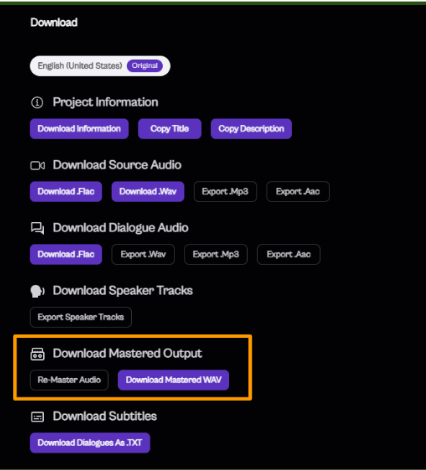
Download Mastered Output 🔊⬇️
A “mastered” audio file is the final, polished version that’s been balanced and optimized to sound great on any device.
Click Download Outputs → Re‑Master

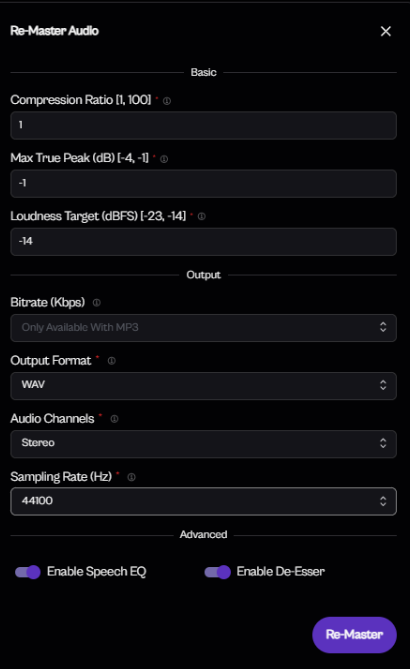
After adjusting the settings below, click Re‑Master.
– Compression ratio: 1 (default)
– Max true peak: ‑1 dB
– Loudness target: ‑14 LUFS
– Audio channels: Stereo
– Output format: WAV
– Sampling rate: 44,100 Hz
Ensure that Enable Speech EQ and Enable De‑Esser are both turned on.
Wait until processing is complete, then click Download Mastered WAV to save the polished output from the portal.